Pages

Sunday, July 12, 2020

An error occurred while using SSL configuration for endpoint 0.0.0.0:444 or Microsoft Exchange 2013/ 2016/ 2019 shows blank ECP & OWA after changes to SSL certificates

An error occurred while using SSL configuration for endpoint 0.0.0.0:444

The other day, one of my Exchange 2016 lab servers stopped working. Well, I say "stopped working" but most things seemed to be working except for the Exchange Management Shell where I would get the following error when opening it:
OWA and ECP were also not working: I would simply get a blank page after signing in...

Thursday, July 9, 2020

Cấu hình IIS SMTP Relay qua Office 365


Cấu hình IIS SMTP Relay qua Office 365 

Yêu cầu phải có IP WAN Static và cấu hình Router như bên dưới.
o   Cấu hình trên Router để Server SMTP chỉ đi internet trên IP WAN này
o   Allow port 25 chiều out
Trên Office 365:
-          Allow IP WAN to O365 phần Connector
-          Allow IP WAN filter phần Connection filter

1.      Vào Office 365 / Exchange admin center
Mail flow / Connector
Tạo connect cho phép IP WAN gửi vào O365

Wednesday, July 8, 2020

How do I use Office365 for SMTP?

How to set up a multifunction device or application to send email using Office 365

This article explains how you can send email from devices and business applications when all of your mailboxes are in Office 365. For example:
  • You have a scanner, and you want to email scanned documents to yourself or someone else.
  • You have a line-of-business (LOB) application that manages appointments, and you want to email reminders to clients of their appointment time.

Saturday, June 20, 2020

Check if activation is blocked on that server for the DB

Check if activation is blocked on that server for the DB. The error indicates that
Get-MailboxDatabaseCopyStatus  MBX-DB1\EMAIL2 |FL activationsuspended
or for the entire server
Get-MailboxServer  EMAIL2 | FL DatabaseCopyAutoActivationPolicy
If you want to remove that block:
Get-MailboxDatabaseCopyStatus  MBX-DB1\EMAIL2 |  Resume-MailboxDatabaseCopy

Thursday, June 18, 2020

Database Unable to Mount while Restoring the Microsoft Exchange Database

Database Unable to Mount while Restoring the Microsoft Exchange Database

Symptom
When I restore a Microsoft Exchange database, the database is unable to mount. The required logs are missing or the transaction logs are not contiguous. There are event errors such as 454, 455, and 2006 in the event log.

Monday, June 15, 2020

HOW TO: DELETE AND RE-CREATE THE EXCHANGE ECP VIRTUAL DIRECTORY

To delete the ECP virtual directory of your Exchange server and re-create it from scratch, you can use the below to get the identity of the virtual directory.

get-EcpVirtualDirectory |fl

Use this to remove the virtual directory in question

Remove-EcpVirtualDirectory -identity "MYSERVER\ecp (Exchange Back End)"

Create the new virtual directory use the below

New-EcpVirtualDirectory -externalurl "https://outlook.mydomain.com/ecp" -internalurl "https://myserver/ecp" -Server "myserver.mydomain.local"

HOW TO: REMOVE EXCHANGE MAILBOX EXPORT REQUESTS


HOW TO: REMOVE EXCHANGE MAILBOX EXPORT REQUESTS


After a number of exports or imports, you might need to clean up the failed, completed or other status when running the get-mailboxexportrequest report in PowerShell. To clean these open the Exchange PowerShell and run the below.

Clean Export requests
Get-MailboxExportRequest -Status Completed | Remove-MailboxExportRequest
Get-MailboxExportRequest -Status Failed | Remove-MailboxExportRequest

Clean Import requests
Get-MailboxImportRequest -Status Completed | Remove-MailboxExportRequest
Get-MailboxImportRequest -Status Failed | Remove-MailboxExportRequest

Wednesday, June 10, 2020

VCenter 6.7: Resizing disk fails with error message

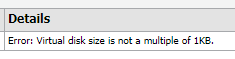
VEEAM failed recently to backup one of your servers. The error message was “Error: Virtual disk size is not a multiple of 1KB.”.
Error: Virtual disk size is not a multiple of 1KB

Thursday, May 14, 2020

Clear database for servicedesk plus

You need to stop the application and initiate reinitializeDB.bat from [ServiceDesk Home\Server] of the command prompt, this will drop all the tables.

Also if the database is PGSQL, then initiate initPgsql.bat  from the command prompt of ServiceDesk under [ServiceDesk Home\Bin].

Monday, April 20, 2020

Reject emails without sending notice to sender

Reject emails without sending notice to sender